MT5 White Label Setup: Key Configuration Dependencies
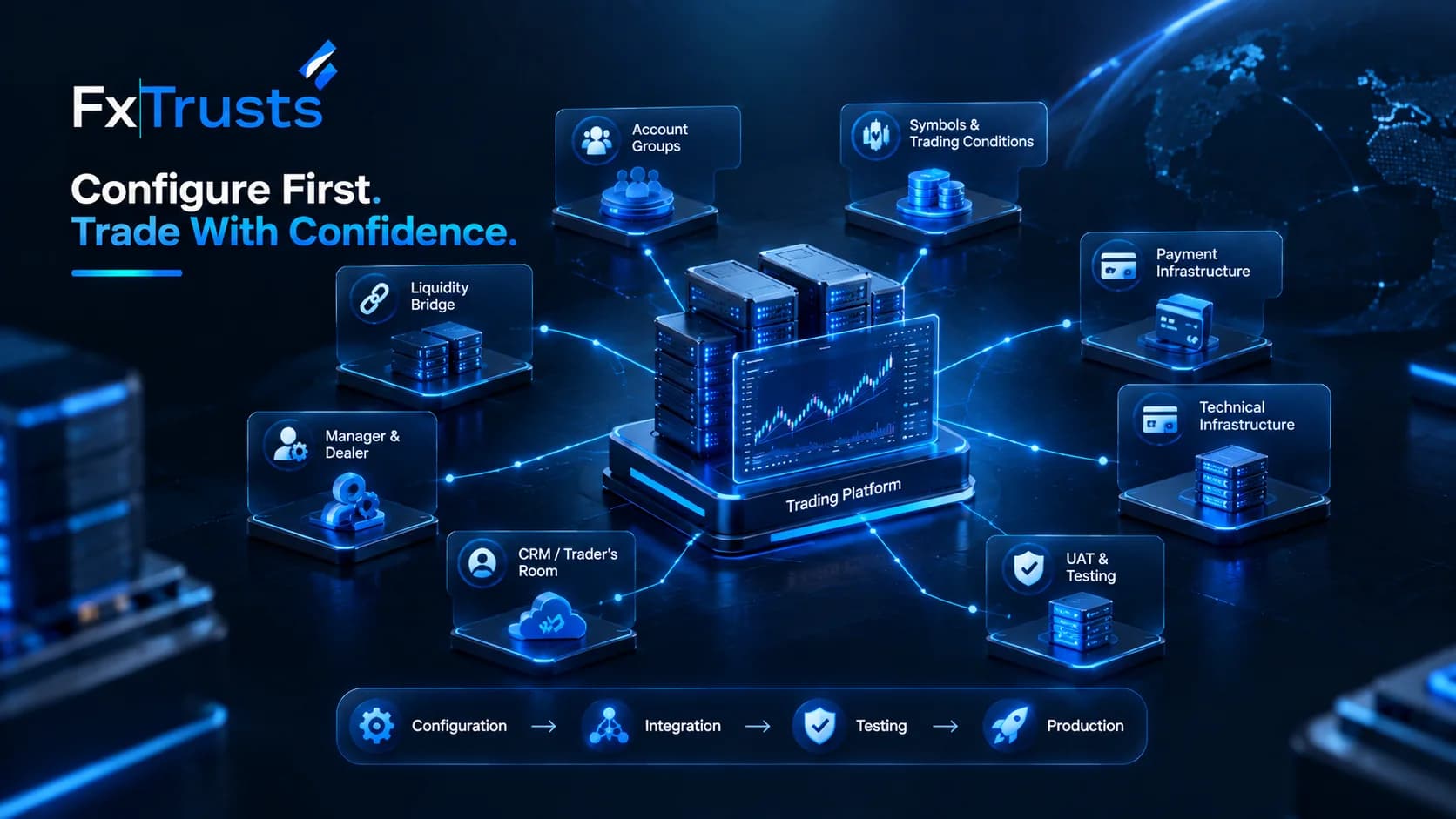
MT5 White Label Setup: Configuration Dependencies
A successful MT5 White Label Setup depends less on the initial branding and more on getting the underlying configuration right the first time. Account groups, symbols, trading conditions, liquidity bridge settings, Manager permissions, CRM connectivity, and hosting infrastructure form a dependency chain. A mistake in one layer can surface only when live clients begin trading.
For brokers building a complete technology stack, an MT5 white label solution should be considered together with liquidity, CRM, technical infrastructure, payments, and client-facing systems rather than as an isolated platform.
This article walks through the practical configuration sequence and the acceptance checks that can reduce the risk of a difficult production cut-over.
Core Configuration Building Blocks
Any MT5 white label environment requires several elements to be defined, configured, and tested before launch.
Account Groups
Groups control leverage, margin call and stop-out levels, commissions, swaps, and often the set of tradable symbols.
Most brokers need multiple groups, such as standard, raw, VIP, Islamic, and demo accounts.
Group hierarchy and inheritance must be deliberate. Later changes to a parent group can cascade into related accounts and create unexpected trading conditions.
Symbols and Trading Conditions
Each instrument needs correct contract size, tick size, margin calculation, session times, and swap rates.
Multi-asset offerings such as FX, metals, indices, energies, and crypto CFDs multiply the configuration surface. Incorrect session times or margin formulas can result in rejected orders, incorrect margin calculations, or client disputes.
Liquidity Bridge and Price Feed
The liquidity bridge connects MT5 with external liquidity providers, maps symbols, applies mark-ups or mark-downs, and supports routing logic such as A-Book, B-Book, or hybrid models.
Symbol-name mismatches or incorrect multiplier settings are common sources of rejection and pricing inconsistencies.
Brokers should therefore evaluate their liquidity bridge and aggregation infrastructure as part of the overall execution environment rather than treating it as a separate technical component.
Manager and Dealer Permissions
Staff need appropriately scoped access to the MT5 Manager and Dealer environments.
Over-permissioned terminals create operational risk, while under-permissioned accounts can create unnecessary support bottlenecks.
Permissions should therefore follow the principle of least privilege. Every employee should receive only the access required for their operational responsibilities.
Manager API Credentials
If a CRM, client portal, or risk-management system will create accounts or retrieve balances automatically, the API user must have the exact rights required and no more.
The broker's Forex CRM / Trader's Room should therefore be tested alongside the MT5 environment rather than being integrated only after the trading platform is considered complete.
These components are interdependent. Changing a symbol's contract specification after accounts already exist in a group can affect margin calculations for open positions. Adding a new group without updating the bridge mapping can leave clients unable to trade the intended instruments.
Recommended Configuration Sequence
A practical configuration order can minimise rework and make troubleshooting easier.
1. Define the Commercial Product Set
Decide which account types, leverage levels, commissions, and instrument lists will be offered at launch.
Document these requirements before making configuration changes in the Manager terminal.
2. Build Groups and Base Trading Conditions
Create the group structure and configure margin, commission, swap, and other relevant trading parameters.
Keep a configuration change log from the beginning. This makes it easier to identify what changed if unexpected behaviour appears during testing.
3. Configure Symbols
Add or enable the required instruments with the correct specifications.
Verify contract sizes, tick values, margin calculations, trading sessions, and swap settings against the liquidity and trading conditions that will actually be used.
4. Connect and Map the Liquidity Bridge
Establish the technical connection, map symbols, configure mark-ups, and define routing rules.
Test quote arrival and order routing in a non-production environment before allowing real client traffic.
5. Set Manager, Dealer, and API Permissions
Create operational users and API credentials for external systems.
Document every permission granted and review whether administrator-level access is genuinely necessary.
6. Integrate Peripheral Systems
Connect the CRM or client portal to the Manager API.
Configure account provisioning, balance synchronization, trading-history retrieval, and any relevant KYC or payment webhooks.
Where funding workflows are connected to trading accounts, the broker payment infrastructure should also be tested for deposits, withdrawals, wallet balances, reconciliation, and account synchronization.
7. Configure Supporting Infrastructure
Review hosting, server location, backups, monitoring, mobile access, reporting, and other supporting components before production.
The technical infrastructure surrounding the trading server should be included in UAT because connectivity, recovery, latency, and reporting can affect the live trading experience.
8. Run End-to-End Tests
Create test accounts in every planned group.
Then simulate the complete trading lifecycle:
Account creation
Funding
Login
Quote reception
Order placement
Position management
Position closure
Margin calculation
Swap application
Statement generation
CRM synchronization
Withdrawal and reconciliation
Only after this sequence is stable should the final client-facing presentation and branded website and landing pages be treated as production-ready.
Configuration Dependency Checklist
| Step | Configuration Focus | Key Dependency | Common Risk if Skipped |
|---|---|---|---|
| 1 | Commercial product definition | Business and risk decisions | Groups may not match the actual offer |
| 2 | Account groups and base conditions | Step 1 | Incorrect leverage, margin, commission, or inheritance |
| 3 | Symbols and trading specifications | Step 2 + liquidity contract sizes | Margin calculation or session errors |
| 4 | Liquidity bridge mapping and routing | Step 3 | Rejections, pricing issues, or untradeable symbols |
| 5 | Manager, Dealer, and API permissions | Operational model | Over- or under-permissioned access |
| 6 | Peripheral system integration | Steps 2–5 | Broken account provisioning or balance synchronization |
| 7 | Supporting infrastructure | Previous configuration | Hosting, recovery, or connectivity problems |
| 8 | End-to-end testing | All previous steps | Production issues discovered by live clients |
Testing and Cut-Over Sequence
Production cut-over should never be the first time the complete technology stack is exercised together.
A structured sequence can include:
Internal configuration testing — Manager terminal and liquidity bridge
Integrated UAT — CRM, client portal, MT5, and bridge using test accounts
Funding workflow testing — Payment system, CRM, and trading accounts
Infrastructure testing — Hosting, backup, monitoring, and recovery
Limited pilot — Controlled accounts under production conditions
Full production release — After documented acceptance criteria are met
During the pilot, monitor:
Quote quality and rejection rates
Margin and stop-out behaviour
Swap application at rollover
Statement and report accuracy
API latency and error rates
Deposit and withdrawal synchronization
CRM-to-MT5 balance accuracy
Backup and recovery performance
Document every issue and its resolution. A clean pilot log can become the baseline for production support.
Operational Acceptance Checklist
Before declaring the environment production-ready, confirm the following:
| Checklist Item | Owner | Pass Criteria |
|---|---|---|
| Account groups match commercial offer | Broker + Provider | Every planned group has the correct leverage, margin, commission, and swap parameters |
| Symbols are tradable and bridge-mapped | Provider, verified by Broker | Intended instruments quote and accept orders with correct multipliers and sessions |
| Demo and live environments are separated | Provider | Clear environment isolation with no cross-contamination |
| Manager and API rights follow least privilege | Broker + Provider | Documented permission set with no unnecessary Administrator access |
| Backup and recovery are tested | Provider | Successful restore within agreed RTO/RPO |
| Support escalation path is confirmed | Both | Named contacts and severity procedures are documented |
| Data export is exercised | Both | Sample account, trade, and configuration exports are validated |
| CRM synchronization is tested | Broker + Provider | Accounts, balances, and trades synchronize correctly |
| Payment workflow is tested | Broker + Provider | Deposits, withdrawals, and reconciliation operate correctly |
| Branding assets are applied | Provider, approved by Broker | Desktop, web, and mobile assets follow approved guidelines |
| Legal and compliance sign-off is complete | Broker | Trading conditions and client agreements are reviewed and approved |
Common Configuration Pitfalls
Several configuration problems appear repeatedly during MT5 deployments:
Inheriting group settings that were never reviewed
Copying symbol specifications from another broker without checking actual liquidity contract sizes
Applying bridge mark-ups inconsistently across related instruments
Giving API credentials unnecessary Administrator-level rights
Failing to test CRM account provisioning completely
Incorrectly synchronizing payment balances with trading accounts
Making production changes without documented change control
Allowing production configuration to drift away from the tested UAT environment
Failing to test hosting and recovery procedures before launch
Most of these problems are avoidable with disciplined documentation, configuration ownership, and a peer-review step before production changes.
Branding and Client-Facing Configuration
Technical configuration is the foundation, but the client-facing layer also needs to remain consistent with the broker's product structure.
The website, landing pages, registration journey, trading-account presentation, and platform experience should communicate the same account types, trading conditions, and onboarding process configured in MT5.
A branded website and landing page solution can therefore be treated as part of the broader broker technology stack rather than as a final design task added immediately before launch.
The same principle applies to the wider FxTrusts Platform, where the client-facing technology should align with the underlying trading, CRM, payment, and infrastructure configuration.
Ongoing Configuration Governance
MT5 configuration should not be considered a one-time implementation task.
After go-live, brokers should:
Maintain a living inventory of groups, symbols, and bridge mappings
Require appropriate approval for changes affecting margin, commission, or routing
Maintain a UAT environment that closely reflects production
Review capacity and performance metrics regularly
Check CRM and payment synchronization periodically
Test backup and recovery procedures
Maintain an internal configuration change log
Review API permissions when staff roles change
Document production changes and their expected impact
This approach makes configuration changes traceable and reduces the risk of introducing unexpected behaviour into a live environment.
Final Thoughts
An MT5 White Label Setup is more than applying a broker's logo to a trading platform. The underlying environment depends on interconnected configuration layers, from account groups and symbol specifications to liquidity routing, CRM connectivity, payments, permissions, and infrastructure.
A structured implementation sequence helps identify dependencies before they become production problems. Combining configuration documentation with integrated UAT, controlled cut-over, and ongoing change management gives brokers a clearer framework for maintaining a stable trading environment.
For brokers looking to build the wider technology stack around MT5, the MT5 White Label Solution can be considered alongside CRM, payment infrastructure, technical infrastructure, branded client-facing systems, and the broader FxTrusts platform.
Frequently Asked Questions
In what order should I configure groups, symbols, and the bridge?
Define the commercial product first, then configure account groups and base trading conditions, followed by symbols and finally bridge mapping and routing. Manager permissions and external integrations should follow the core trading configuration.
How much testing is enough before production cut-over?
Testing should cover every account type, major symbol class, and critical workflow. This includes account creation, funding, trading, margin calculations, swaps, statements, CRM synchronization, and withdrawal processes. A controlled pilot can provide an additional validation stage before full production.
Can I change group or symbol settings after clients are live?
Yes, but changes affecting leverage, margin, contract specifications, or trading conditions can affect existing positions and client expectations. Such changes should be tested in a controlled environment and introduced through a documented change-management process.
Who should own the configuration change log?
The broker should retain internal ownership, usually within operations or technology, even when the technology provider performs the actual configuration work. This ensures the broker maintains a clear record of production changes.
What commonly causes post-launch trading problems?
Configuration mismatches between MT5 symbol settings and liquidity bridge mappings are one potential source of trading issues. Other problems can arise from incorrect group parameters, API permissions, CRM synchronization, infrastructure configuration, or payment-account synchronization.
Should CRM integration be completed before MT5 testing?
CRM integration should be tested as part of the overall UAT process rather than treated as an entirely separate project. Account creation, balance synchronization, trade history, and other automated workflows should be validated before production.
Why is least-privilege API access important?
API credentials may allow external systems to interact with trading-account information and operations. Granting only the permissions required for the intended workflow reduces unnecessary access and makes the integration easier to audit.
What should be included in the final MT5 white label checklist?
The final checklist should cover account groups, trading conditions, symbols, liquidity mapping, permissions, CRM integration, payment workflows, hosting, backup and recovery, reporting, branding, support procedures, and legal or compliance approval.