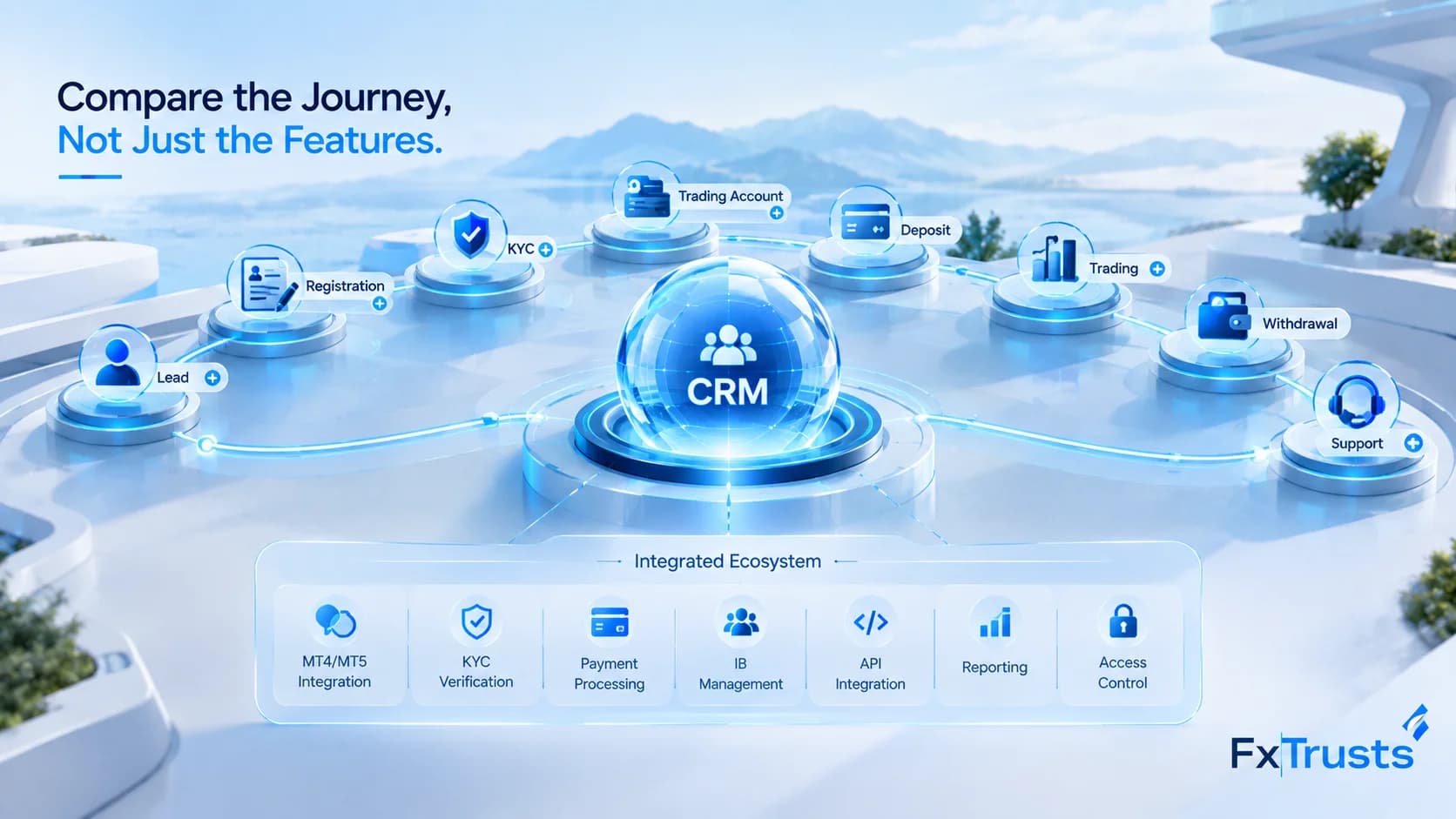
Forex CRM MT5 Integration: Account & Balance Sync
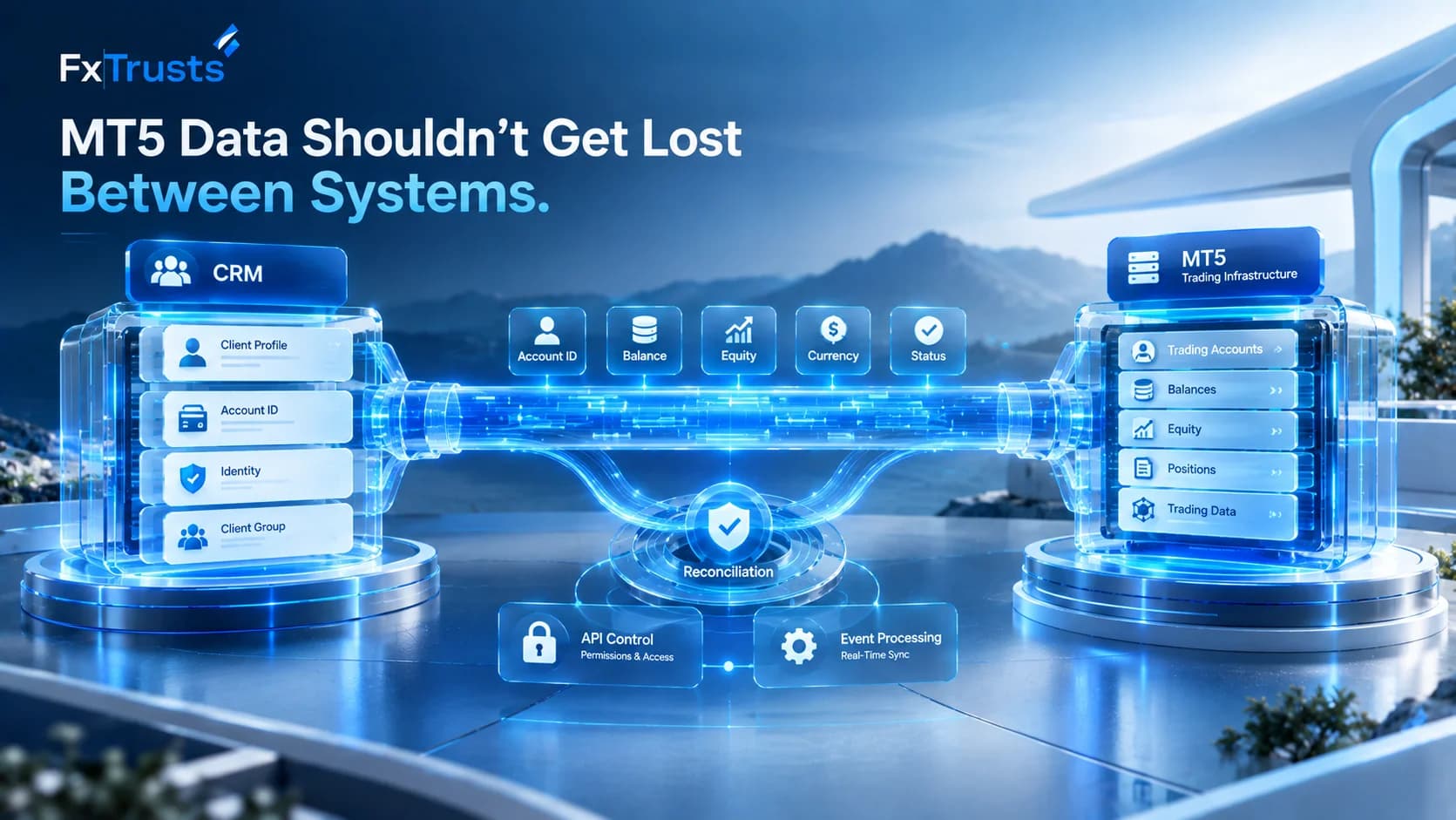
Forex CRM MT5 Integration: Account Identity and Balance Sync
A Forex CRM MT5 integration connects a broker's customer-management and back-office workflows with MetaTrader 5 trading infrastructure. The goal is not simply to display an MT5 account inside a CRM. A reliable integration must correctly map account identities, synchronize approved account information, respect API permissions, process events, and reconcile financial data when systems do not match.
For brokers evaluating MT5 CRM software, the key question is therefore not just whether a vendor supports MT5. It is how the integration works in production and what happens when an account update, balance event, API request, or synchronization process fails.
FxTrusts currently positions its Forex CRM and Trader's Room as a back-office and client-portal layer covering onboarding, KYC, MT4/MT5 account management, deposits, withdrawals, IB workflows and support. Its documentation also identifies scoped MT4/MT5 Manager API synchronization and account-level balance, equity and margin data as integration areas.
What Is Forex CRM MT5 Integration?
A brokerage typically has several technology layers:
Website → CRM/Back Office → Client Portal → MT5 → Liquidity/Execution Infrastructure
The CRM manages customer and operational workflows, while MT5 provides the trading-platform environment.
An integration connects the relevant data and workflows between those systems.
For example:
A client registers.
The CRM creates the client profile.
KYC is completed.
A trading account is created or linked.
The MT5 account is mapped to the correct CRM client.
Approved account data is synchronized.
Balance and account information can be displayed in the appropriate CRM or Trader's Room workflow.
Reconciliation verifies that the systems remain aligned.
This is why Forex CRM MT5 integration should be treated as an architecture and workflow question rather than a simple checkbox.
For brokers planning the wider platform stack, FxTrusts also provides a Forex White Label solution covering MT5, CRM, liquidity connectivity and related brokerage infrastructure.
Account Identity Comes First
Before a CRM can synchronize a balance, it must know which MT5 account belongs to which CRM customer.
A typical mapping may contain:
| CRM information | MT5 information |
|---|---|
| Client ID | Trading account/login |
| Client profile | Account ownership |
| Account type | MT5 account/group |
| Currency | Account currency |
| Account status | Trading-account state |
| Created date | Account creation information |
This becomes more important when one customer can have multiple accounts.
For example, a single client might have:
one demo account;
one live account;
multiple live accounts in different currencies;
different account groups.
The integration therefore needs an explicit account-mapping model rather than assuming that one CRM customer always equals one MT5 account.
MT5 Account Synchronization
MT5 account synchronization determines which trading-platform information reaches the CRM, how frequently it is updated, and which system is considered authoritative.
The implementation should define:
account fields being synchronized;
synchronization frequency;
event-driven versus scheduled updates;
timestamps;
error handling;
retry logic;
reconciliation rules.
FxTrusts documents MT4/MT5 account management and scoped Manager API synchronization within its Trader's Room solution. It also describes account analytics covering balance, equity and margin.
However, a vendor saying "MT5 integration" does not automatically define the implementation scope. During procurement, ask for the exact API, permissions, fields and workflows included in the proposal.
Which Account Data Should Be Synchronized?
Not every trading-platform field necessarily needs to be copied into the CRM.
A practical scope may include:
| Data | Why it matters |
|---|---|
| MT5 login/account ID | Account identification |
| Client mapping | Links account to CRM profile |
| Currency | Correct financial interpretation |
| Account type | Separates account workflows |
| Balance | Financial reporting |
| Equity | Account-state visibility |
| Margin | Operational monitoring |
| Account status | Lifecycle management |
| Transaction data | Reconciliation |
| Timestamp | Detects stale information |
The exact fields should be verified against the selected deployment rather than assumed.
Trading Balance Reconciliation
One of the most important parts of an MT5 CRM integration is trading balance reconciliation.
Simply showing the same number in two systems does not prove that synchronization is reliable.
Suppose MT5 shows a balance of $10,000 and the CRM also shows $10,000.
The implementation should still answer:
When was the value retrieved?
Was the update triggered by an event or scheduled sync?
Was the event processed once?
What happens if the connection fails?
Which system is the source of truth?
Can the discrepancy be investigated later?
A useful reconciliation workflow is:
MT5 source value → timestamp → event/update → CRM record → comparison → exception handling
FxTrusts' Trader's Room documentation specifically recommends testing MT4/MT5 account mapping, balance reconciliation and failed or delayed synchronization during evaluation.
Manager API Permissions
API permissions should be documented before implementation.
The integration team should identify:
which MT5 API is being used;
which credentials are required;
read versus write permissions;
account-management permissions;
reporting permissions;
credential ownership;
access logging;
production versus test access.
FxTrusts documents a scoped MT4/MT5 Manager API synchronization model and states that the exact permissions and synchronization tests should be defined for each deployment.
This is important because the CRM should receive only the permissions required for its approved workflows.
A good implementation responsibility matrix should clearly separate CRM responsibilities from MT5 server and platform-owner responsibilities.
CRM Webhook and Event Handling
A CRM integration may also involve lifecycle events and webhooks.
Possible event categories include:
account creation;
account updates;
deposit status;
withdrawal status;
onboarding events;
client lifecycle events.
The important issue is not simply whether webhooks exist. The system should demonstrate how events are processed.
For example:
Event received → validation → duplicate check → processing → confirmation → logging
If the same event arrives twice, the CRM should not unintentionally perform the same financial operation twice.
If processing fails, the system should have a documented retry and exception-handling process.
FxTrusts' CRM documentation describes lifecycle webhooks for lead routing, onboarding, retention and marketing automation, alongside scoped platform synchronization.
Testing MT5 CRM Integration Failures
A serious integration test should include both successful and failed workflows.
| Test | What to verify |
|---|---|
| New account | Correct client-to-account mapping |
| Balance update | Correct value and timestamp |
| Duplicate event | No duplicate business action |
| API failure | Error detection |
| Network interruption | Retry/recovery |
| Wrong account mapping | Validation/rejection |
| Delayed update | Stale-data detection |
| Permission failure | Appropriate access error |
| Reconciliation mismatch | Exception reporting |
This type of testing is more informative than a simple demonstration showing that an account appears in the CRM.
FxTrusts itself recommends acceptance testing around account mapping, balance reconciliation, delayed synchronization, staff permissions and related operational workflows.
How MT5 CRM Fits Into the Wider Brokerage Stack
MT5 integration is only one part of brokerage infrastructure.
A typical stack can include:
CRM + Trader's Room + MT5 + Liquidity Bridge + Payments + KYC + Hosting + Reporting
For example, payment events may eventually need to connect with CRM records and account balances. FxTrusts provides a separate Broker Payment Infrastructure solution covering payment and payout workflows.
Likewise, execution connectivity sits separately from the CRM. Brokers requiring FIX-based connectivity can review the FxTrusts FIX Trading API for the relevant trading-connectivity layer.
Hosting and technical dependencies can also affect synchronization reliability. FxTrusts documents these separately through its Broker Technical Infrastructure offering.
This separation helps procurement teams determine which vendor owns each part of the integration.
What to Ask an MT5 CRM Vendor
Before signing an integration agreement, ask:
Which MT5 API is used?
What account data is synchronized?
How is client-to-account mapping performed?
Can one client have multiple MT5 accounts?
What permissions are required?
Which system is authoritative for balance?
How frequently is data synchronized?
How are duplicate events handled?
What happens when MT5 becomes unavailable?
How are failed events retried?
How are reconciliation mismatches reported?
Who owns production monitoring?
Who manages API credentials?
Which integrations are native?
Which features require custom development?
These questions turn a generic "MT5 compatible" claim into a measurable implementation scope.
Implementation Responsibility Matrix
| Area | CRM team | Broker | MT5/platform team |
|---|---|---|---|
| Client records | Implement | Validate | — |
| Account mapping | Configure | Approve | Provide access |
| Balance synchronization | Implement | Validate | Provide source |
| API permissions | Configure/use | Approve | Grant/control |
| Reconciliation | Implement | Operate | Provide source data |
| Failure handling | Implement | Monitor | Support platform issues |
| UAT | Support | Approve | Support |
| Production monitoring | As scoped | Operate | Monitor platform |
For brokers using a managed environment, Hosted Platform Access can also be relevant when defining manager permissions, API access and deployment boundaries.
Final Takeaway
A reliable Forex CRM MT5 integration is about more than connecting a CRM to MetaTrader 5.
The important layers are:
Account identity → API permissions → synchronization → event handling → reconciliation → failure testing → responsibility
For procurement teams, the most useful demonstration is one that follows an account from creation through synchronization and then deliberately tests failure scenarios.
The CRM should show the correct MT5 account, the correct financial information, the correct permissions and a traceable process for resolving discrepancies.
FxTrusts currently positions its Forex CRM & Trader's Room as the back-office and client-portal layer for broker workflows, including MT4/MT5 account management, account analytics, scoped Manager API synchronization and reconciliation-focused testing.
For a broader brokerage deployment, the related Forex White Label solution, Broker Payment Infrastructure, Technical Infrastructure and Hosted Platform Access pages can be evaluated alongside the CRM scope so that platform, payments, hosting and permissions are not treated as disconnected projects.
Sources
-
MetaTrader 5 — For Brokers
MetaTrader 5 for Brokers -
FxTrusts — Trader's Room / Forex CRM
FxTrusts Trader's Room & Forex CRM -
FxTrusts — Hosted Platform Access
FxTrusts Hosted Platform Access -
FxTrusts — Technical Infrastructure
FxTrusts Technical Infrastructure
Frequently Asked Questions
What is Forex CRM MT5 integration?
Forex CRM MT5 integration connects a broker's CRM or Trader's Room with MetaTrader 5 so approved account information, client-account mappings, balances and other relevant trading data can be synchronized between systems.
How does MT5 account synchronization work with a CRM?
The CRM connects to the appropriate MT5 integration interface, maps the trading account to the correct client record, and synchronizes the fields included in the agreed implementation scope. MetaTrader 5 provides several APIs, including the Manager API and Web API, for different integration requirements.
Why is balance reconciliation important in an MT5 CRM integration?
Balance reconciliation helps identify differences between the CRM's recorded account data and the authoritative trading-platform data. A proper process should consider timestamps, delayed updates, failed events and duplicate processing rather than simply comparing two displayed numbers.
What MT5 API permissions does a CRM need?
The required permissions depend on the actual workflow. A vendor should document whether the integration requires read access, account-management permissions, reporting access or other capabilities. MetaTrader 5 provides different APIs for administration, reporting, server functions and web integration, so "MT5 API access" alone does not define the required scope.
What should brokers test before going live with an MT5 CRM integration?
Brokers should test account mapping, balance updates, API permission failures, duplicate events, delayed synchronization, network interruptions and reconciliation mismatches. The test should also establish which party is responsible for monitoring, troubleshooting and resolving integration failures.