MT5 Migration: Data Transfer & Cut-Over Checklist.
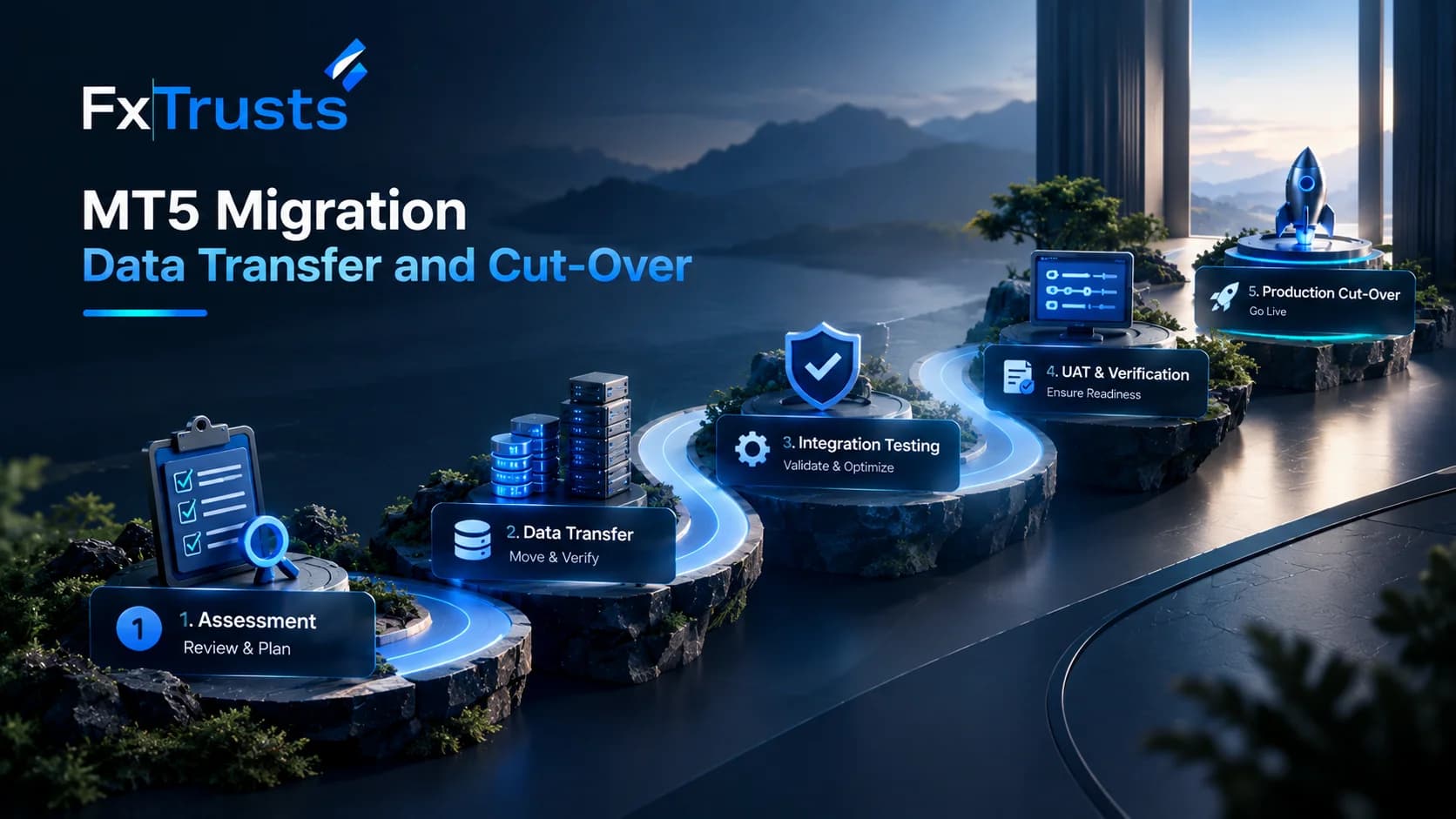
MT5 Migration: What Does It Involve?
MT5 migration is the process of moving a brokerage's MetaTrader 5 environment, configuration, trading data and connected systems from one server, provider or infrastructure setup to another.
For a broker, migration is more than copying server files. Account structures, symbols, trading conditions, historical records, liquidity connections, Manager permissions, APIs, CRM workflows and client access may all need to remain consistent after the move.
A successful migration therefore depends on three things:
- A clearly defined migration scope
- A tested technical and data-transfer process
- A controlled production cut-over with rollback planning
The objective is not simply to move the platform. It is to make the new environment behave correctly before clients depend on it.
When Should a Broker Consider MT5 Migration?
Common migration scenarios include:
- Moving from one technology provider to another
- Upgrading server infrastructure
- Moving to a dedicated environment
- Changing hosting regions
- Replacing an existing white-label provider
- Consolidating multiple trading environments
- Integrating a new CRM or broker back office
- Preparing for higher operational requirements
- Moving from an older infrastructure architecture
The reason for migration determines what needs to be transferred and what should be redesigned.
A simple hosting change may require a narrower migration scope than moving an entire brokerage stack between providers.
What Needs to Be Reviewed Before Migration?
Before beginning the technical work, create an inventory of the existing environment.
MT5 Server Configuration
Document:
- Server architecture
- Account groups
- Symbols
- Trading sessions
- Leverage settings
- Margin rules
- Commission structures
- Swap settings
- Dealer configuration
- Manager permissions
- Plugins
- APIs
- Reporting configuration
This inventory becomes the baseline for validating the new environment.
Client and Account Data
Account migration may involve:
- Trading accounts
- Account groups
- Balances
- Equity
- Open positions
- Pending orders
- Trade history
- Deposits and withdrawals
- Client identifiers
- Account permissions
Not every migration handles these items in exactly the same way. The migration agreement should explicitly define which records are transferred, recreated or archived.
Trading History and Data Integrity
Historical data is particularly important for brokers because clients may depend on statements and previous transactions.
Before migration, establish:
- What historical data must remain available?
- Where will the historical data reside?
- How will records be validated?
- Who signs off on the transferred dataset?
- How will missing or inconsistent records be handled?
A useful acceptance process compares representative accounts between the old and new environments rather than assuming that a successful database transfer automatically means the migration is complete.
Liquidity and Bridge Migration
The trading server is only one part of the execution chain.
A broker should also document:
- Liquidity-provider connections
- Bridge configuration
- Symbol mappings
- Markups
- Routing rules
- FIX connectivity
- Failover configuration
- Execution reporting
Symbol mapping deserves particular attention.
A symbol that appears identical to the trader may have different contract specifications, naming conventions or liquidity-provider mappings behind the scenes.
This is why migration testing should include actual order-flow validation rather than only checking whether instruments appear in the terminal.
For brokers reviewing integrated execution infrastructure, the FXTrusts Forex White Label & Liquidity solution describes MT5 server infrastructure, bridge connectivity, instrument configuration and routing capabilities.
CRM and Manager API Dependencies
Many broker systems depend on the MT5 Manager API.
The migration checklist should therefore include:
- API credentials
- Permission scopes
- Account creation
- Balance operations
- Account status updates
- Trade information
- Reporting hooks
- CRM synchronization
- Payment synchronization
- KYC workflow dependencies
The important question is not simply whether the API connects.
The broker should verify whether every required operation works correctly after migration.
For example:
Registration → KYC → account creation → deposit → trading → balance update → withdrawal → reporting
should be tested as one connected workflow.
FXTrusts currently describes its broker infrastructure as supporting Manager API access and integration with CRM, payment and KYC workflows.
CRM and Trader's Room Migration
If the MT5 environment is connected to a CRM or Trader's Room, the migration cannot be treated as an isolated platform project.
Client-facing systems may depend on:
- MT5 account IDs
- Account groups
- Balance information
- Equity
- Trading history
- Deposit records
- Withdrawal status
- KYC status
- IB relationships
- Commission calculations
A mismatch between the new MT5 environment and the CRM can create operational problems even when the trading server itself works correctly.
A broker can review the FXTrusts Trader's Room and CRM solution when evaluating the broader client-portal and back-office layer.
Hosting and Infrastructure
Infrastructure should be reviewed before the migration date rather than after the new server is live.
Check:
- Hosting region
- Server capacity
- Network connectivity
- Backup strategy
- Monitoring
- Disaster recovery
- Access controls
- Firewall rules
- IP allowlists
- DNS dependencies
- Support escalation
If the migration also involves new supporting infrastructure, FXTrusts describes hosting, report-server, mobile-app, website and market-data components as part of its broader broker infrastructure layer.
Recommended MT5 Migration Sequence
A controlled migration can follow this sequence:
1. Discovery
Document the current environment and migration objectives.
2. Dependency Mapping
Identify every system connected to MT5.
3. Migration Design
Define what will be transferred, recreated, archived or redesigned.
4. Test Environment
Build the target environment without immediately switching live clients.
5. Data Validation
Transfer representative datasets and compare them against the source environment.
6. Integration Testing
Test CRM, Manager API, liquidity, payments, reporting and other connected systems.
7. UAT
Broker operations teams validate real-world workflows.
8. Cut-Over Preparation
Freeze changes, confirm backups, prepare communication and define rollback procedures.
9. Production Migration
Execute the agreed migration window.
10. Post-Migration Monitoring
Monitor trading, account creation, deposits, withdrawals, execution, API errors and client access.
MT5 Migration UAT Checklist
Before production cut-over, test at minimum:
| Area | Validation |
|---|---|
| Login | Existing and newly created users can access the platform |
| Accounts | Account groups and permissions match the approved configuration |
| Symbols | Required instruments are available and correctly configured |
| Orders | Market and pending orders behave as expected |
| Positions | Open-position handling is validated |
| Margin | Margin calculations are consistent with approved rules |
| Trading history | Representative historical records are available |
| Liquidity | Quotes and execution paths are validated |
| CRM | Account and balance information synchronizes correctly |
| API | Required Manager API operations work |
| Payments | Deposit and withdrawal workflows remain connected |
| Reporting | Statements and operational reports are accurate |
| Monitoring | Alerts and operational monitoring are active |
| Backup | Recovery process has been tested |
What Should Be Frozen Before Cut-Over?
Migration becomes harder when configuration continues changing during the final transfer.
Where practical, establish a controlled change freeze covering:
- Account-group changes
- Symbol changes
- Commission changes
- Swap changes
- Leverage changes
- Plugin changes
- API changes
- CRM configuration
- Liquidity routing
Any emergency change during the migration window should be documented.
Rollback Planning
A migration plan should answer one simple question:
What happens if the new environment cannot safely serve clients?
The answer should be documented before production cut-over.
A rollback plan may define:
- Which environment becomes the fallback?
- How long the rollback decision remains available?
- Who has authority to trigger it?
- What happens to trades opened during the migration?
- How are balances reconciled?
- How are clients informed?
- How are incidents documented?
Rollback should not be an afterthought.
Common MT5 Migration Mistakes
Treating migration as a server-only project
A broker may successfully move the server while forgetting CRM, payments, reporting or liquidity dependencies.
Migrating without a configuration baseline
Without a documented source configuration, it becomes difficult to prove that the target environment is equivalent.
Testing only login functionality
A successful login does not prove that trading, API, CRM and payment workflows work.
Ignoring open positions
Open positions require explicit migration planning because they represent live client exposure.
Forgetting API permissions
An API may technically connect while lacking permissions required by automation.
No rollback procedure
Production migration without a defined fallback increases operational exposure.
How to Evaluate an MT5 Migration Provider
Before appointing a migration partner, ask for a written scope covering:
- Migration responsibilities
- Data-transfer responsibilities
- Configuration recreation
- Liquidity migration
- CRM integration
- API migration
- UAT responsibilities
- Cut-over procedure
- Rollback process
- Support during migration
- Post-migration support
- Data ownership
- Data export rights
The provider should also explain what it will not migrate.
Clear exclusions are often as important as the included scope.
MT5 Migration vs. Rebuilding the Environment
Migration and rebuilding are not always the same project.
Migration focuses on preserving required configuration, data and operational continuity.
A rebuild may use the migration as an opportunity to redesign:
- Account groups
- Symbols
- Liquidity routing
- CRM architecture
- API permissions
- Reporting
- Hosting
- Security controls
If the existing environment contains years of accumulated configuration problems, reproducing everything exactly may simply reproduce those problems.
The migration scope should therefore distinguish between:
What must be preserved and what should be improved.
Conclusion
An MT5 migration should be treated as an operational transformation rather than a simple server move.
The safest approach is to document the existing environment, map every dependency, build and test the target environment, validate data and integrations, complete UAT, and only then perform the production cut-over.
For brokers evaluating a migration or new deployment, a useful next step is to request a scoped demonstration and written implementation responsibility matrix covering migration, data, integrations, UAT, cut-over and rollback.
Frequently Asked Questions
What is MT5 migration?
MT5 migration is the process of moving a MetaTrader 5 brokerage environment from one server, provider or infrastructure setup to another. Depending on the project, it can involve configuration, accounts, trading history, liquidity connections, APIs, CRM integrations, reporting and client access.
Can MT5 account data be migrated?
Account data can potentially be transferred or recreated, but the exact method depends on the source and target architecture. Brokers should define which account information, balances, positions and historical records are included before signing off on the migration.
Does MT5 migration affect liquidity?
It can. If the migration changes the server, bridge, network path or liquidity configuration, order routing and symbol mapping must be tested before production. Liquidity-provider connectivity should therefore be included in the migration plan rather than treated as a separate post-launch task.
How should brokers test an MT5 migration?
Testing should cover more than login. Brokers should validate account creation, symbols, orders, positions, margin, trading history, liquidity, CRM synchronization, Manager API operations, payments and reporting. A representative UAT process should be completed before production cut-over.
What happens to open MT5 positions during migration?
Open positions require explicit migration planning. The treatment depends on the migration architecture and agreement between the broker and provider. The migration plan should define position handling, reconciliation and what happens if rollback becomes necessary.
Is CRM migration part of MT5 migration?
It can be. If the CRM depends on MT5 account IDs, balances, trades or Manager API operations, CRM validation is an important part of the project. A technically successful MT5 move can still create operational problems if the CRM integration is not updated and tested.